Basics - Do you know if Google has indexed your page?
Loading last updated info...
Regular Google searches can often be the best way for your website to get public exposure. If a page on your website is not indexed, it cannot be searched.
Don't be surprised if Google is already one step ahead of you... its Google bots could have already crawled your site without you knowing. So what's the best way to find out if Google has indexed your web page?
1. Search for it on Google
The quickest way to figure out if Google has indexed your page is to just search for it on Google.
Try site\:yourdomain.com/blog/my-new-post to confirm this. Even better just using site\:yourdomain.com will show all indexed pages on your domain
2. Use the Google Search Console
If you can't find it, go to Google's Search Console and submit your URL.
Benefits to using the Google Search Console:
- **Shows exact crawl date **- is this out of date?
- **Shows clear error message **- if your page didn't index, you'll know why
- Let's you force a re-crawl
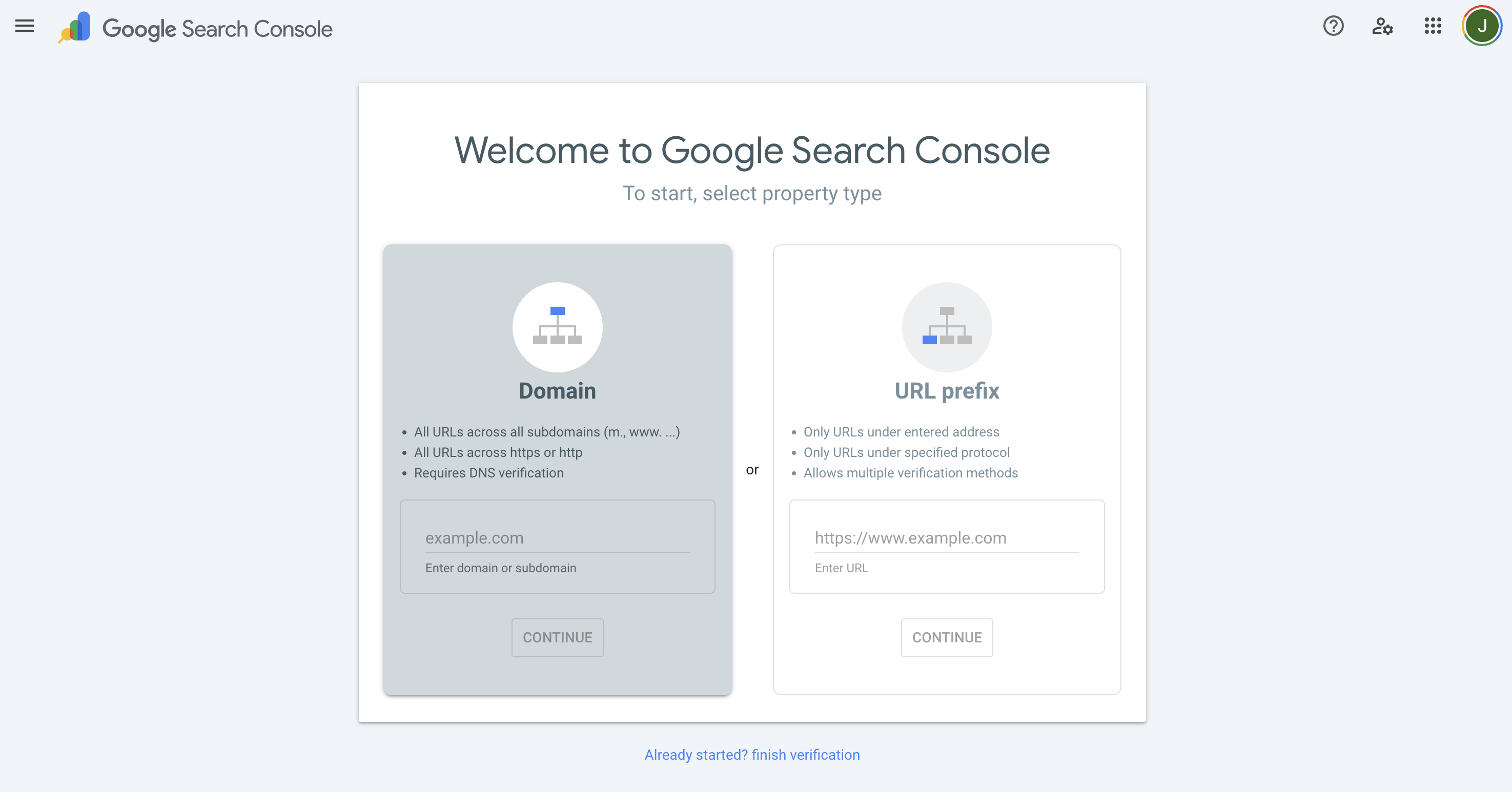
Figure: Using Google Search Console to Check Index Status
Internal pages should be crawled automatically, so you only need to inform the root of the site.
Common reasons pages don't get indexed
- The noindex tag is present
- Blocked by robots.txt
- Poor internal linking
- Duplicate/ thin content
- Site/page is very new
WordPress
If your website is built on WordPress, make sure you have unselected the "Discourage search engines from indexing this site" option. This can be found under Reading Settings :
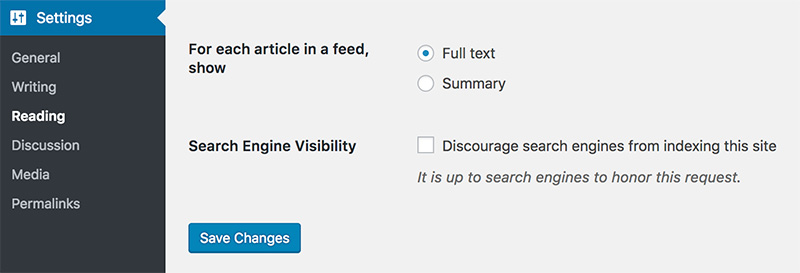
Figure: WordPress has an out-of-the-box functionality to discourage search engines to show the site