
Do you generate consistent AI characters across images and videos?
Loading last updated info...
You generate a great AI image for marketing, then the next one looks like a distant cousin of the original. Different face, different colors, different vibe. This inconsistency confuses users and weakens brand recognition, especially when you’re trying to build a recognizable character like a mascot or product hero.
Attached file: N/A
Prompt: “Generate a 3d stylized, cartoon-like yak covering his eyes with his hooves. The yak has small curved horns, shaggy light-brown hair on its head, large expressive eyes, and a friendly, slightly smiling expression. It is wearing a short-sleeved red shirt. The background is plain white, giving the image a clean, studio-like appearance. Make the yak {{ ACTION }}”
Action (left to right): “Cover his eyes with his hooves”, “sit at a table and write on a piece of paper with a pen”, “give a thumbs up”
Image model (left to right): Google Whisk, Open AI GPT Image, Google Nano Banana
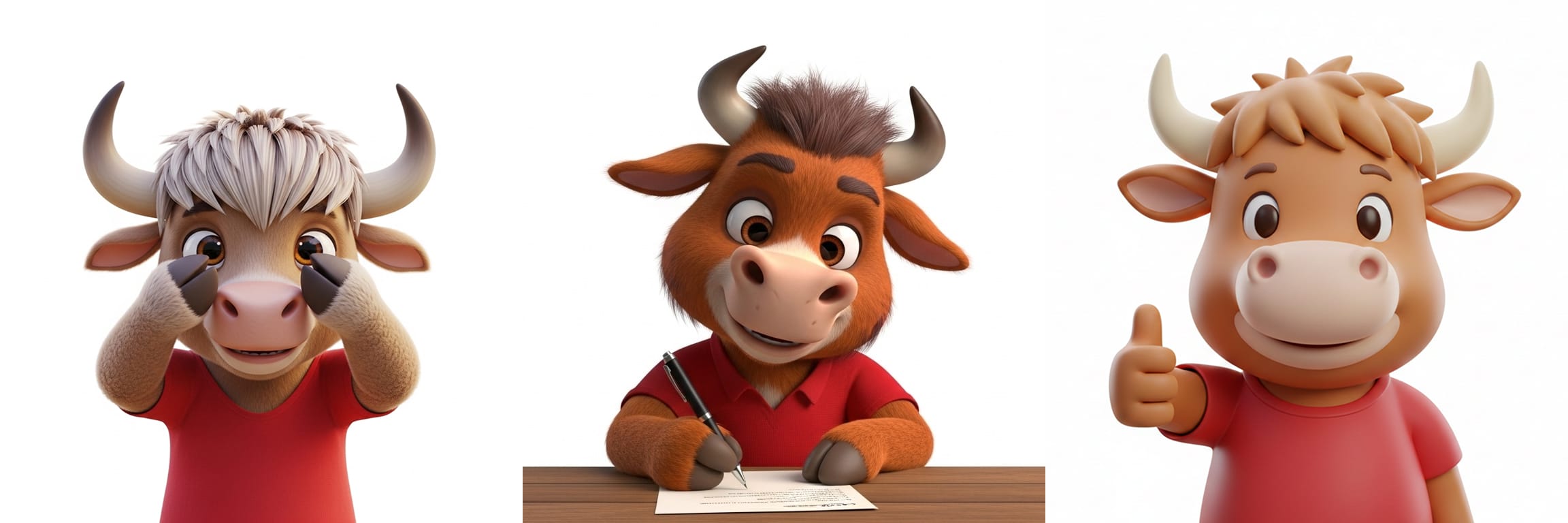
❌ Figure: Bad example - The same text prompt produces inconsistent results across different image models
Step 1: Start with a single source-of-truth image
Always begin with one approved base image of the character. Ideally this image should be a character sheet, providing different views of the character so that models have more context to work with.
Use this same static image as the reference for:
- Image generation (e.g. OpenAI GPT Image, Google Nano Banana)
- Video/animation generation (e.g. OpenAI Sora, Google Veo)
Make sure to store the source-of-truth in a shared, versioned location (e.g. “brand-assets” folder).
Attached file: source-of-truth.png
Prompt: “Use the provided character sheet as the exact character reference. Do not change colors, facial features, proportions, or style. Make Jack the Yak {{ ACTION }}”
Action (left to right): “Cover his eyes with his hooves”, “sit at a table and write on a piece of paper with a pen”, “give a thumbs up”
Image model (left to right): Google Whisk, Open AI GPT Image, Google Nano Banana
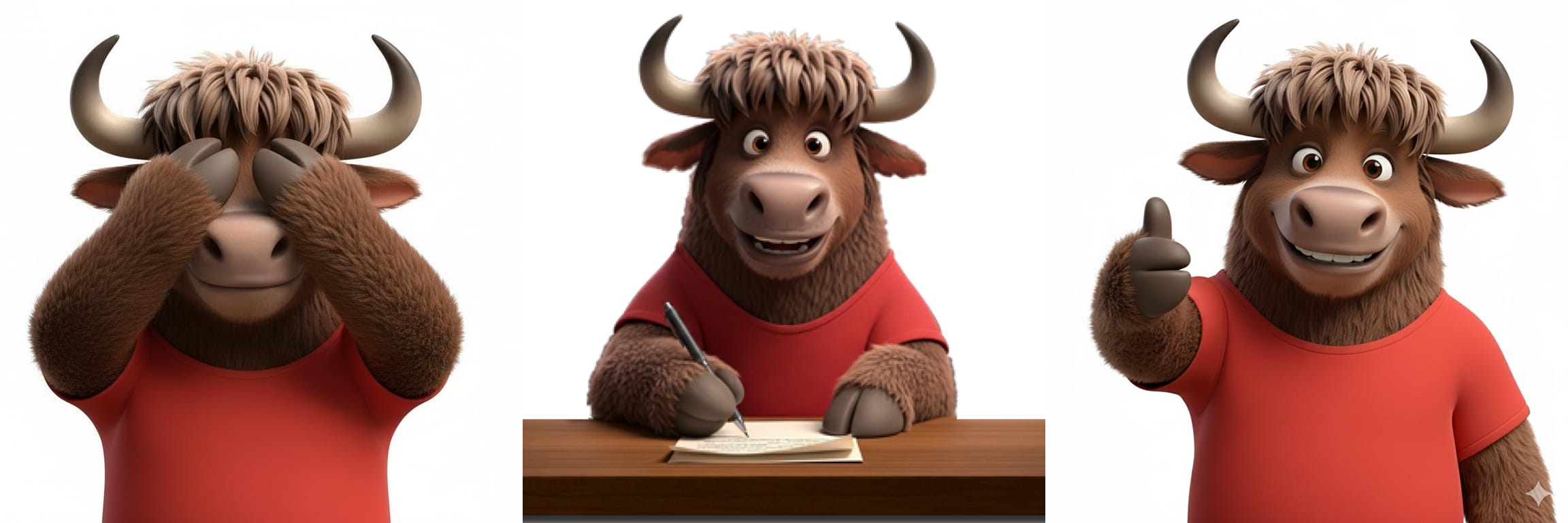
✅ Figure: Good example - By using a source-of-truth image, you can use shorter prompts and ensure character consistency across different scenarios and models
Note: While it is better to use the same AI tool for character consistency, different AI tools can still produce consistent results with a high-quality source-of-truth image.
Examples
The YakShaver team stores their source-of-truth character sheet at yakshaver.ai/media.
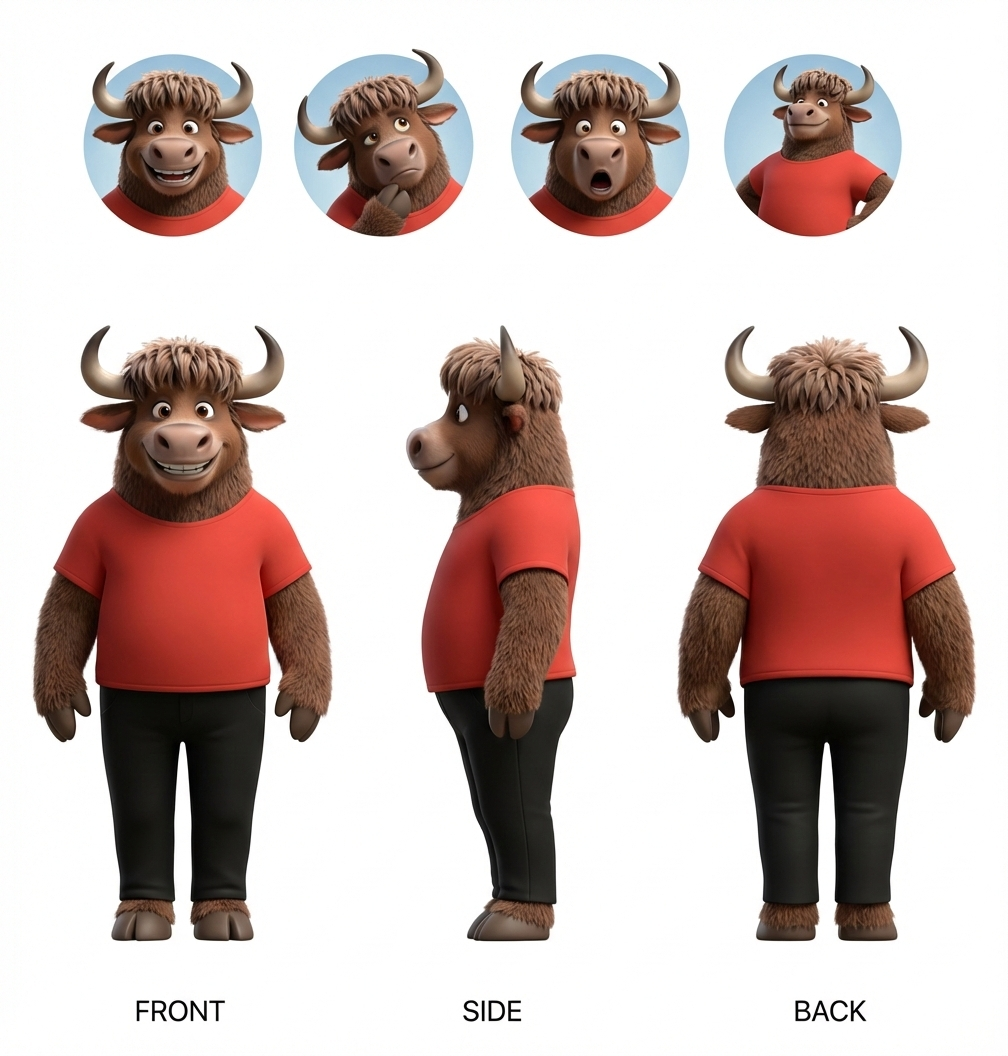
Figure: Character sheet showing various angles and emotions of the YakShaver mascot, Jack the Yak
The TinaCMS team stores their source-of-truth character sheet at tina.io/media
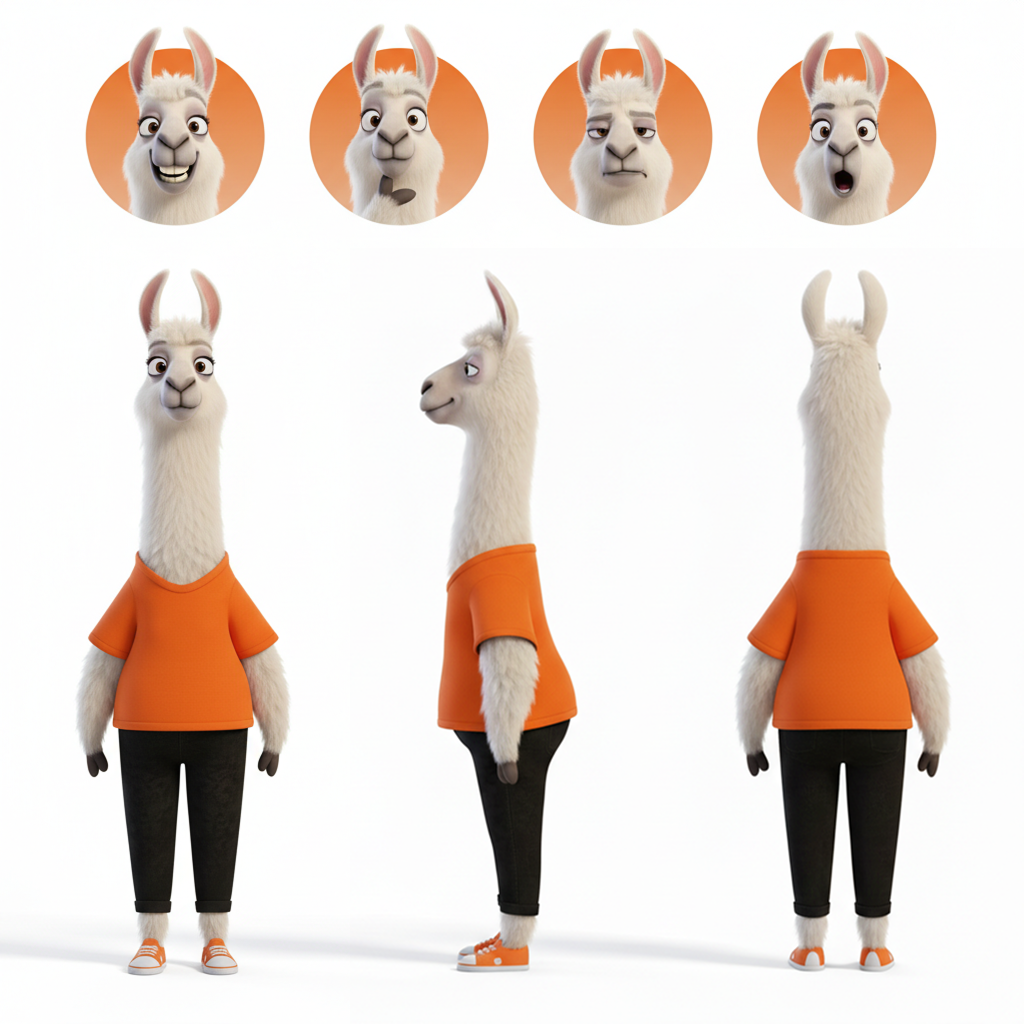
Figure: Character sheet showing various angles and emotions of the Tina mascot, Tina the Llama
Step 2: Be explicit in your prompts
AI models will improvise unless you clearly tell them not to. Include:
- Instruction to preserve the original character design
- Physical traits (species, colors, proportions)
- Clothing or accessories (or explicitly say “no clothing”)
- Mood, personality or expressions
- Camera framing and lighting
Prompt: Make Jack the Yak cover his eyes.
❌ Figure: Bad example - The prompt is vague and will lead to inconsistencies
Prompt: Use the provided image as the exact character reference. Do not change colors, facial features, proportions, or style. Make Jack the Yak playfully cover his eyes with his hooves in a close-shot.
✅ Figure: Good example - Explicitly instructing the model to preserve the original character
Step 3: Get approvals for generated characters
Before publishing AI-generated characters:
- All assets - Get a “test pass” from design/brand owners
- Videos & animations - Check quality with your video team to prevent choppy footage or awkward animations.
✅ Good example - Watch from 0:26 – 0:32 - The character is consistent and animation is flawless